SolidWorks File Types Explained: SLDPRT, SLDASM, SLDDRW

Every extension SolidWorks creates — parts, assemblies, drawings, templates, and exchange formats — what each one holds, and how they stay connected when a whole team works on them.
You can read a SolidWorks folder the way you read a drawing: every extension tells you what the file holds, what it references, and what breaks if it gets moved or renamed. SOLIDWORKS® 3D CAD splits work across parts, assemblies, drawings, templates, and a set of exchange formats — and because most of them point at each other, knowing the types is the first step to keeping a project intact. Here is what each one does.
Sibe is a cloud CAD document management platform with a native SolidWorks add-in. It manages parts, assemblies, drawings, and the references between them together — with DWG and DXF alongside — and tracks every version automatically as your team checks work in.
Core SolidWorks file types
.SLDPRT — part file
The standard format for SolidWorks part models. It holds the 3D geometry, the feature tree, sketches, materials, configurations, and custom properties. Whether you are designing a bolt or a complex housing, the base geometry lives here.
.SLDASM — assembly file
Assembly files reference multiple part files and define how components are mated together. They do not store the parts' geometry — they link to it. Rename or move a referenced part outside CAD and the assembly loads with suppressed or missing components, which is why reference handling matters more than any other file habit on a team.
.SLDDRW — drawing file
Drawing files generate the 2D documentation for parts and assemblies: views, dimensions, annotations, and BOM tables. A drawing stays linked to the model it documents, so model edits flow into the drawing automatically — as long as the reference is intact.
Templates and supporting files
.PRTDOT, .ASMDOT, .DRWDOT — document templates
Templates create new parts, assemblies, and drawings with pre-set units, drafting standards, custom property placeholders, and title blocks. One shared template set is the cheapest consistency tool a team has.
.SLDDRT — sheet format
The drawing sheet format: border, title block, and the linked notes that fill it from the model's properties. Drawing templates and sheet formats work as a pair.
.SLDLFP — library feature part
A reusable feature — a gusset, a mounting hole pattern, a weldment profile — stored in the Design Library and dragged into part files.
.SLDSFFVT and the other favorites
Saved annotation styles for drawings. Surface finish favorites use .sldsffvt; dimensions, notes, geometric tolerances, and weld symbols each have their own favorite format, so standard callouts get inserted, not rebuilt each time.
.SLDREG — settings file
The Copy Settings Wizard writes your system options, toolbars, and keyboard shortcuts to a .sldreg file. Restore it on a new machine and SolidWorks is set up like the old one in minutes.
.SLDMAT and .SLDSTD — materials and drafting standards
Custom material databases (.sldmat) and exported drafting standards (.sldstd) let a team share exact material definitions and annotation rules instead of re-creating them on every seat.
Export and exchange formats
To send geometry outside SolidWorks — to customers, suppliers, or other CAD systems — you export to an exchange format:
.STEP / .STP
The neutral format nearly every CAD system accepts. It preserves precise geometry but not the feature tree or sketch history. The default choice for suppliers.
.IGES / .IGS
An older neutral format, still common in some industries. It handles surfaces well; solids transfer less reliably than STEP.
.X_T / .X_B — Parasolid
Parasolid is the Siemens-developed modeling kernel SolidWorks runs on, so Parasolid export is the cleanest geometry transfer available when the receiving system accepts it. .x_t is the text form, .x_b the binary.
.STL
A triangulated mesh for 3D printing and mesh-based workflows. No features, no precise surfaces — the resolution is fixed at export.
.3MF
The modern 3D printing format: a mesh plus the color, material, and unit information STL cannot carry.
.PDF, .DWG, .DXF
The 2D outputs. PDFs go to reviewers and quality records; DWG and DXF carry drawing views and flat patterns to fabricators, laser cutters, and anyone working in a 2D CAD tool.
Specialized file types
.CWR — simulation results
SolidWorks Simulation stores solved study results in .cwr files next to the model. They are large and regenerable, so most teams leave them out of backups.
.EPRT, .EASM, .EDRW
These are the formats of eDrawings®, Dassault Systèmes' viewing application: lightweight, view-only versions of parts, assemblies, and drawings, published for recipients who do not run CAD (Dassault Systèmes eDrawings product documentation, accessed 31 August 2026).
~$ lock files
Files starting with ~$ are temporary lock files SolidWorks creates while a document is open. They vanish on a clean close; a stray one left behind on a shared drive is a common cause of "file in use" errors.
Quick reference
| Extension | What it is | What it depends on or feeds |
|---|---|---|
| .sldprt | Part model | Referenced by assemblies and drawings |
| .sldasm | Assembly | References every component part file |
| .slddrw | Drawing | References the model it documents |
| .prtdot / .asmdot / .drwdot | Document templates | Give new documents their settings |
| .slddrt | Sheet format | Supplies border and title block to drawing sheets |
| .sldlfp | Library feature | Dragged into part files from the Design Library |
| .step / .igs / .x_t | Neutral 3D exchange | Geometry only — no feature tree |
| .stl / .3mf | Mesh for 3D printing | Resolution fixed at export |
| .dwg / .dxf / .pdf | 2D exchange | Views and flat patterns for fabrication |
Why the references between them matter
SolidWorks files are interdependent. A drawing depends on its model. An assembly pulls in dozens or hundreds of linked part files. Rename or move one on a shared drive and the structure breaks — components come up suppressed, drawings lose their views, and someone spends an afternoon repairing paths. Knowing the file types is easy; keeping their relationships intact while a whole team edits them is the real work.
Where Sibe fits
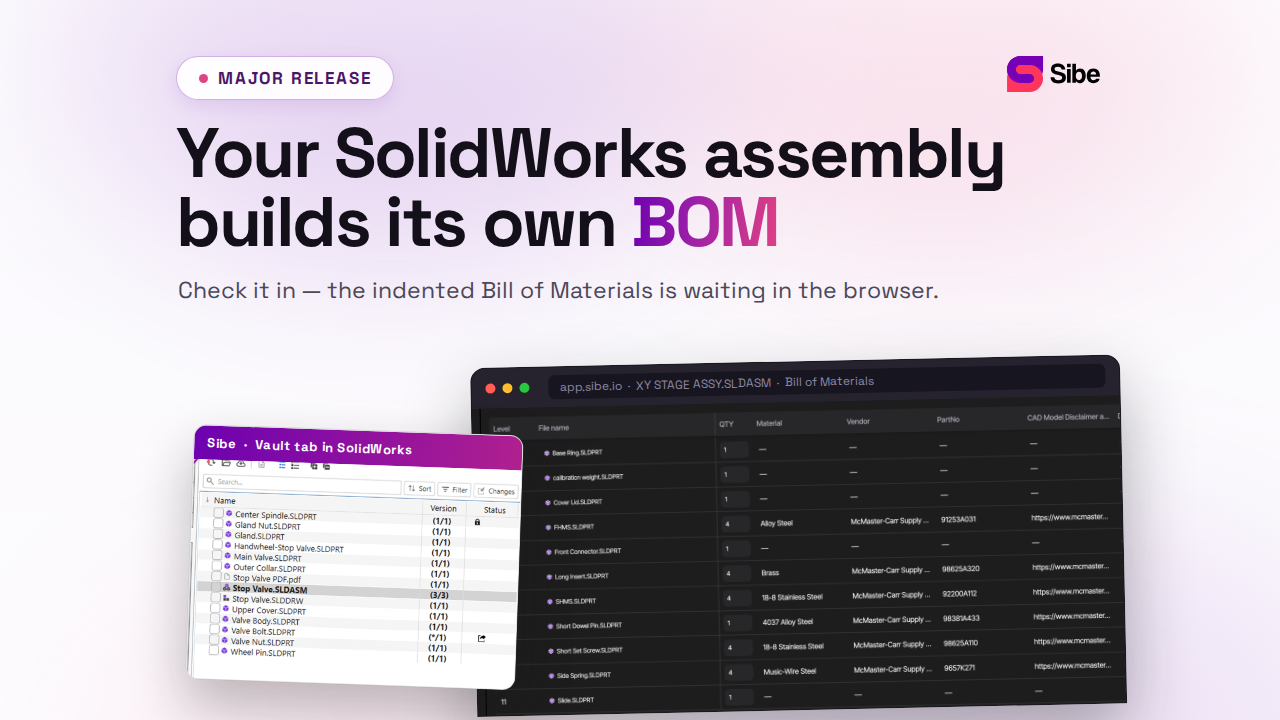
Sibe manages every format above as one connected set. Engineers check parts, assemblies, and drawings in and out directly in SolidWorks; Sibe resolves assembly references automatically — including parts shared across projects — and tracks every version of every file. With Sibe you can:
- Keep references intact when models move or get renamed
- Track every version and revision automatically, so no one overwrites finished work
- Manage DWG and DXF files under the same version control as native formats
- Open parts and full assemblies in any browser through a share link — no Sibe account, no viewer install
- Control access so the right people see the right files
See version control for SolidWorks and CAD file management for the details. No servers, no VPNs, no admin hassles.
Book a free 20-minute demo or try Sibe free for 14 days — no credit card.
Book a free Demo with Ken to see Sibe in action


Ken Maren
Chief Solutions Architect
SolidWorks Expert with 30+ Years Experience
Redirecting...
Demo bookings need a company email address. To use a personal one, choose Try Sibe for free below.
.png)