SolidWorks Design Reviews in the Browser
Redirecting...
- Approval decisions recorded on the file, not buried in email threads.
- Released revisions locked, so manufacturing never builds the wrong one.
- Audit trail per file — ready for ISO, FDA, and customer reviews.
Trusted by SolidWorks engineering teams across industries












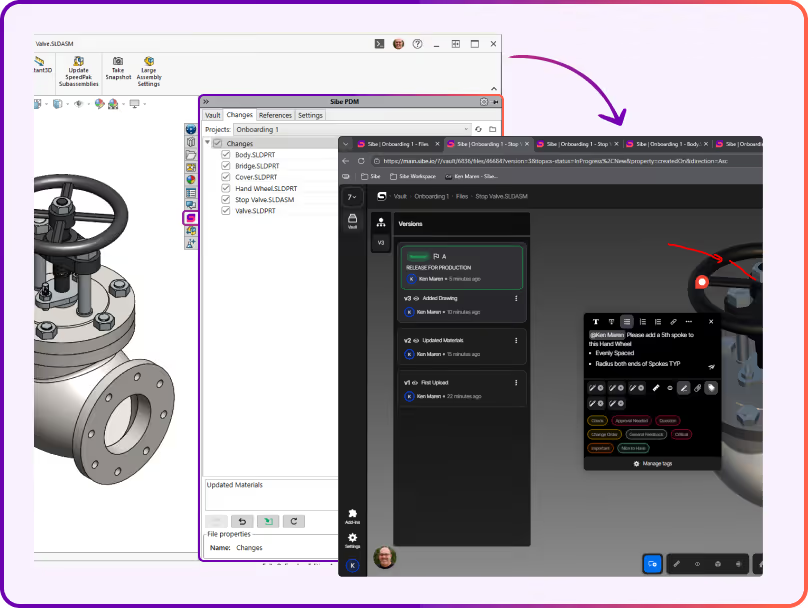
More SolidWorks time. Less file chasing.
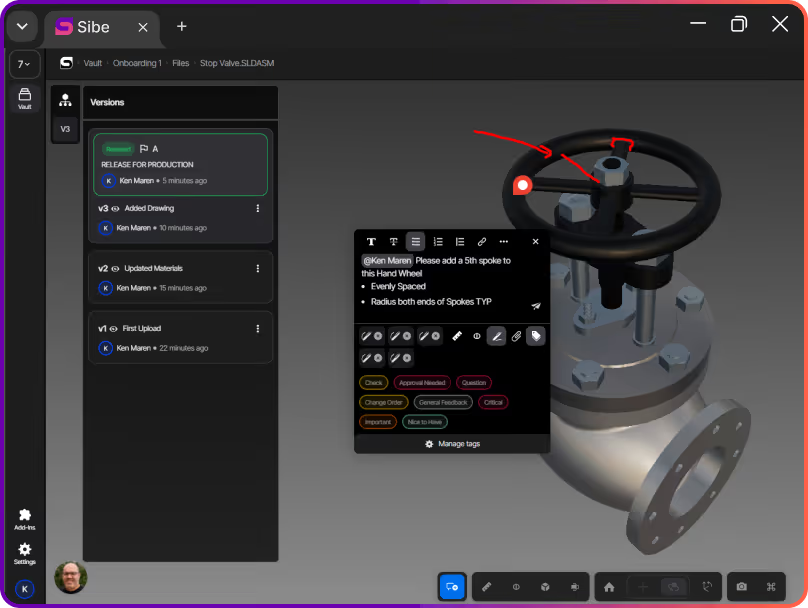
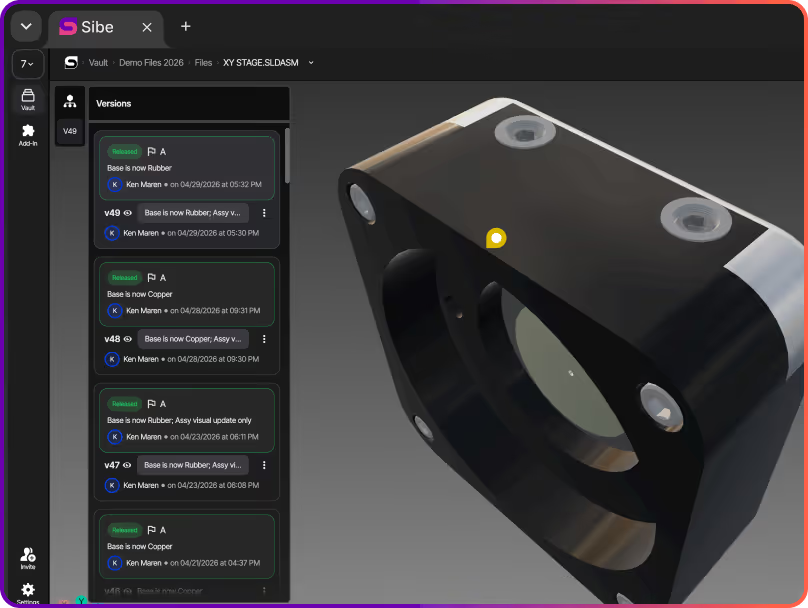
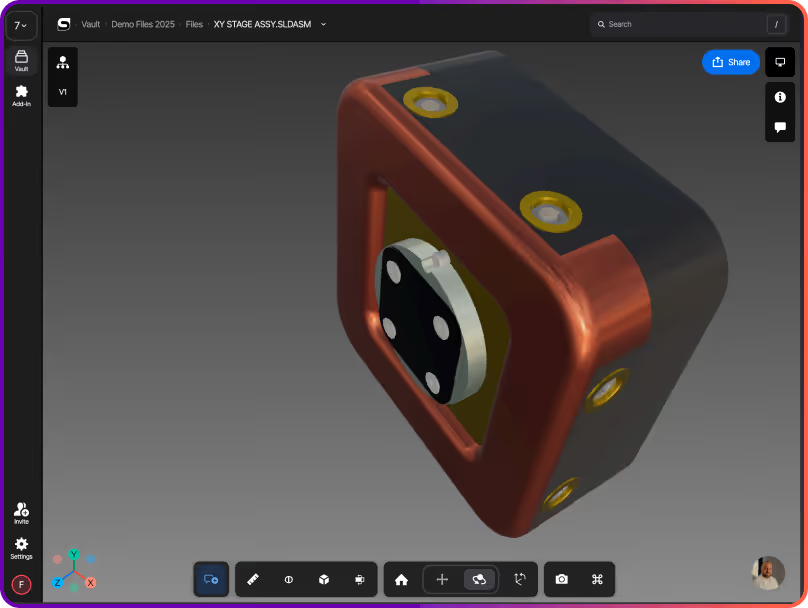
In Sibe, a design review is a single secure link. The model opens instantly in the browser, comments are pinned to the geometry, and all feedback lands in one place — tied to the exact version being reviewed. Sibe comes with unlimited browser-based viewers, so anyone with the link can open the file in any browser without a Sibe account or SolidWorks license. Workspace members can add comments and markups directly on the model.
- One link opens the model in any browser — desktop, tablet, or phone
- Comments and markups stay in Sibe, not in your inbox
- Every review is tied to the version it was made on
Check in from SolidWorks, review in the browser
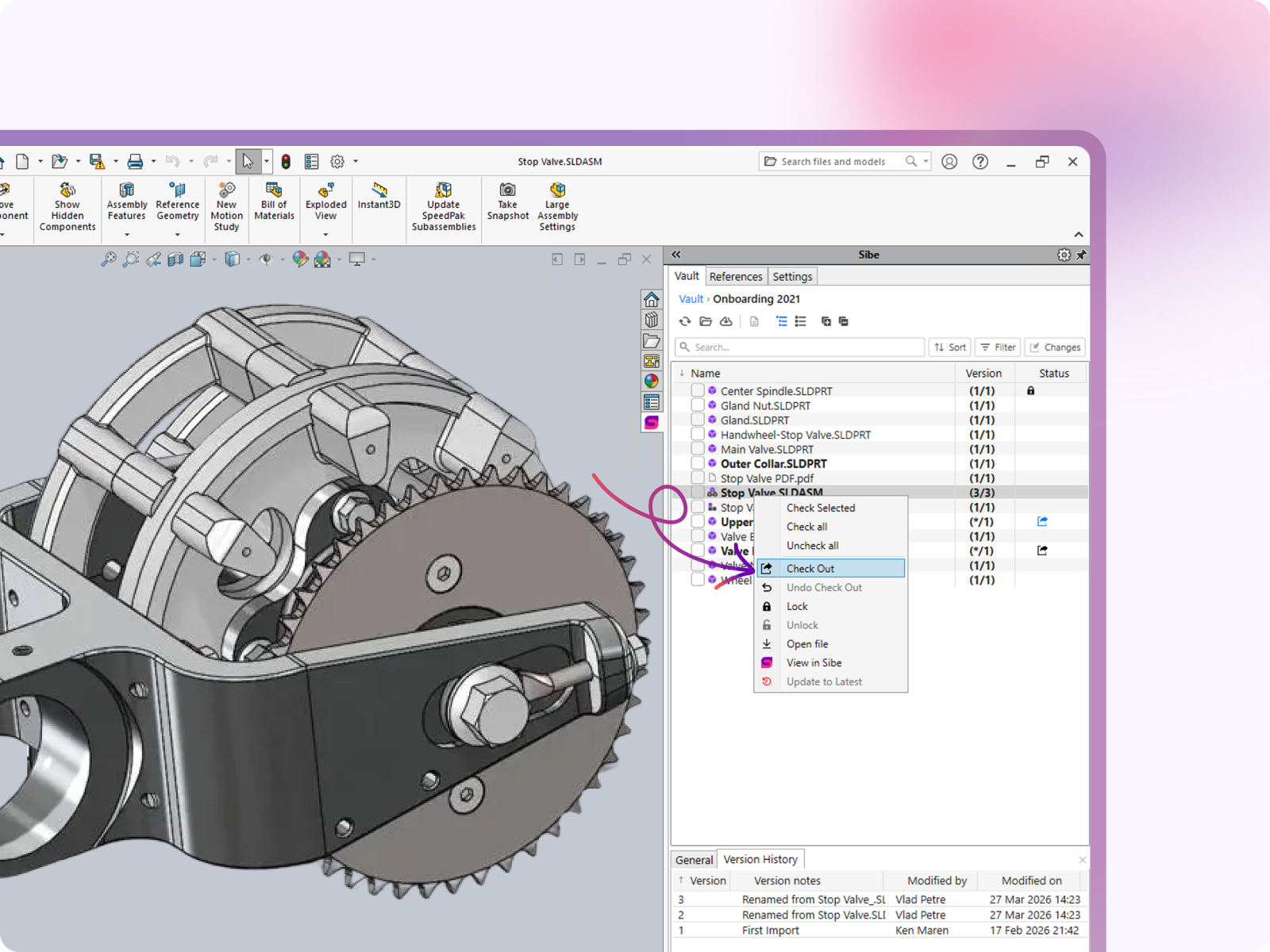
Sibe's native SolidWorks add-in keeps engineers where they already work. Check in the design when it's ready, and Sibe handles the rest.
- The live 3D model and drawing open instantly in any browser
- Viewers rotate, pan, zoom, and inspect geometry — no install, no account
- Workspace members comment and mark up directly on specific areas of the model
- All feedback is waiting in Sibe when the engineer picks the design back up
- No exports, no third-party viewer, no risk of reviewing the wrong version
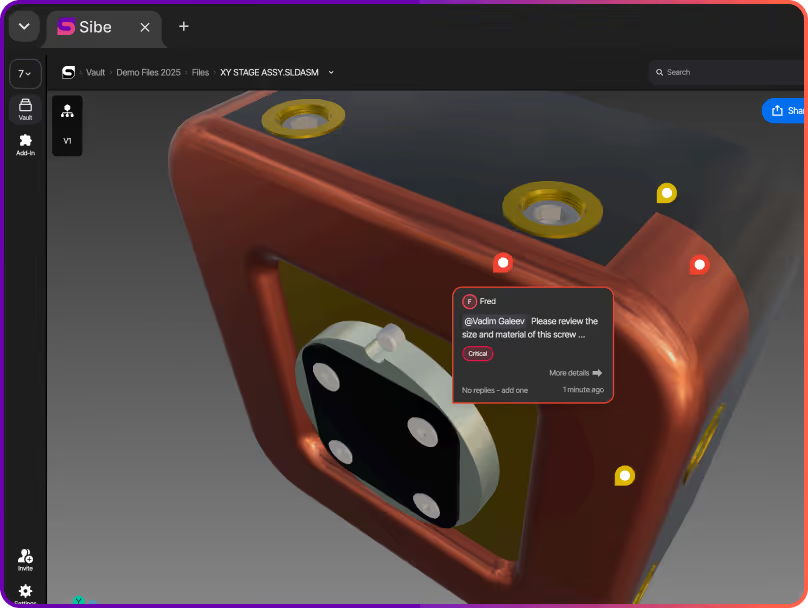
Feedback pinned to the exact part being reviewed
Vague feedback wastes design time. Every comment in Sibe is pinned to the SolidWorks model and the specific version being reviewed.
- Reviewers point to the exact face, edge, or area they're commenting on
- Engineers open the review and see immediately what needs to change and where
- Resolved comments stay visible, so the history of decisions doesn't disappear
- Fewer revision cycles, less time re-explaining what feedback meant
The right version, every time
Reviews in Sibe are tied to a specific version in the vault, so every reviewer is looking at exactly the file the engineer shared.
- Every review points to a version Sibe is tracking
- Step back through previous versions to see what changed between rounds of feedback
- Once the design is ready, move it through Sibe's approval workflow and lock the released revision
- What went to manufacturing is always traceable, and what's under review is always clear
Review Designs Without a SolidWorks License
Managers, customers, suppliers, and anyone else you invite can open the model through a secure browser link. View access works with no account and no SolidWorks license. To add comments or markups, invite them as a workspace collaborator.
- No SolidWorks license required to view files
- View-only links open without a Sibe account, VPN, or IT setup
- Download permissions are controlled per link, so your IP stays protected
- Reviewers and approvers open the file right away — no access friction, no delay
Async or live design reviews
Whether the review happens on a call or across time zones, Sibe keeps everyone on the same version.
- Share the link ahead of a meeting so reviewers arrive prepared
- Use the same link on a call so the whole team is viewing the same SolidWorks version
- Review outcomes stay in the design record — not in a separate document
"We're remote. The designer is in Philadelphia, our CTO is in Miami, and I'm in Austin. We needed a way to design, review, and release without everyone sitting in the same place — or even in the same software."

Alberto Lopez
Chief Executive Officer,
Sunfish
"Our SolidWorks files carry structured product data that people outside the CAD team regularly need to access. Bridging that gap was essential for our global growth."

Dean Pascasio
CAD Engineering Lead,
Nordair Systems
Enterprise-ready Security & Privacy
Everything in Sibe is designed to keep your work safe and secure.
Because your business is nobody else’s business.

SOC 2 Audited
Audited for Service Organization Controls (SOC 2 Type II) compliance.
Data Encryption & Backups
AES-256 encryption with daily backups and disaster recovery protocols.

Google Cloud Partner
Hosted on Google Cloud with data centers in Europe and the United States.
Frequently Asked Questions
Do Viewers need SolidWorks installed to view and comment on a design?
No. Viewers open the design through a secure browser link — no SolidWorks license, no Sibe account, no install required. Unlimited viewers can rotate and inspect the geometry in any browser. To add comments or markups pinned directly to the design, you'll need a Sibe collaborator seat in the workspace.
How does an engineer share a design for review?
Once a design is checked into Sibe from the SolidWorks add-in, you can create a secure browser link. The engineer shares that link with whoever needs to review internally or externally. The model opens instantly in their browser, no setup required.
Are comments attached to a specific version of the design?
Yes. Every comment and markup in Sibe is pinned to the exact version being reviewed. If the design changes and a new version is checked in, previous comments stay attached to the version they were made on so the review history is always in context.
Can I run a design review live on a call?
Yes. Because the review happens through a browser link, every participant opens the same link during the call and interacts with the model individually. No screen sharing required — everyone rotates and inspects the geometry in their own browser at the same time.
Can I review designs asynchronously across different time zones?
Yes. Share the link before the review and collaborators can inspect the model, leave comments, and raise questions in their own time. All feedback is captured in Sibe and waiting when the engineer picks the design back up in SolidWorks.
How many people can join a design view?
As many as the project needs. Sibe includes unlimited browser-based viewers, so you can bring in your entire team, external partners, suppliers, and customers without adding to your seat cost for viewing your SolidWorks designs. Comments and markups are reserved for workspace collaborators.
Can external suppliers and customers join a review?
Yes. External reviewers join through the same secure browser link — no VPN, no SolidWorks license required. View-only access works with no Sibe account. To add comments, invite them as a workspace collaborator.
What happens to review feedback after the design is updated?
Comments stay attached to the version they were made on. When the engineer checks in a revised version, a new review can be started on that version. Stepping back through versions shows exactly what feedback led to which updates, giving a clear picture of how the design evolved.
Can I see what changed between two rounds of review?
Yes. Sibe tracks every version in the vault. You can step back through previous versions to compare iterations and see what changed between each round of feedback.
Does Sibe replace our current SolidWorks workflow?
No. Sibe connects to SolidWorks through a native add-in so engineers continue working the way they already do. Check-in and check-out happen directly in SolidWorks, and the design review layer sits on top, no disruption to the existing CAD workflow.
Book a free Demo with Ken to see Sibe in action


Ken Maren
Chief Solutions Architect
SolidWorks Expert with 30+ Years Experience
Thank you for requesting a demo.
Our Customer Success team will be in touch within one business day to arrange a suitable time.
Alternatively, please select a time slot directly from the calendar below.
Thank you for your interest!
Our Customer Success team will get back to you within one business day to schedule the demo call.
.png)