Version Control workflows purpose-built for SolidWorks via native Add-in
Redirecting...
Demo bookings need a company email address. To use a personal one, choose Try Sibe for free below.
- 14-day free trial
- No credit card required
- Quick setup in under 20 minutes

Trusted by SolidWorks engineering teams across industries












SolidWorks Version Control without Implementation Cost
On‑premise PDM: powerful, but typically expensive to roll out, hard to access remotely, and not always loved by the people who have to use it every day.
Shared folders: quick to start, but revisions, approvals, and “who has the latest” become difficult the moment more than one person is involved.
Sibe is the cost-effective option: cloud-based CAD Document Management & Collaboration purpose-built for SolidWorks Teams.
- No server provisioning.
- No VPN required for remote access.
- No “deployment cost and time” before your first version is tracked.
Collaboration-first CAD Document Management purpose-built for SolidWorks engineering teams
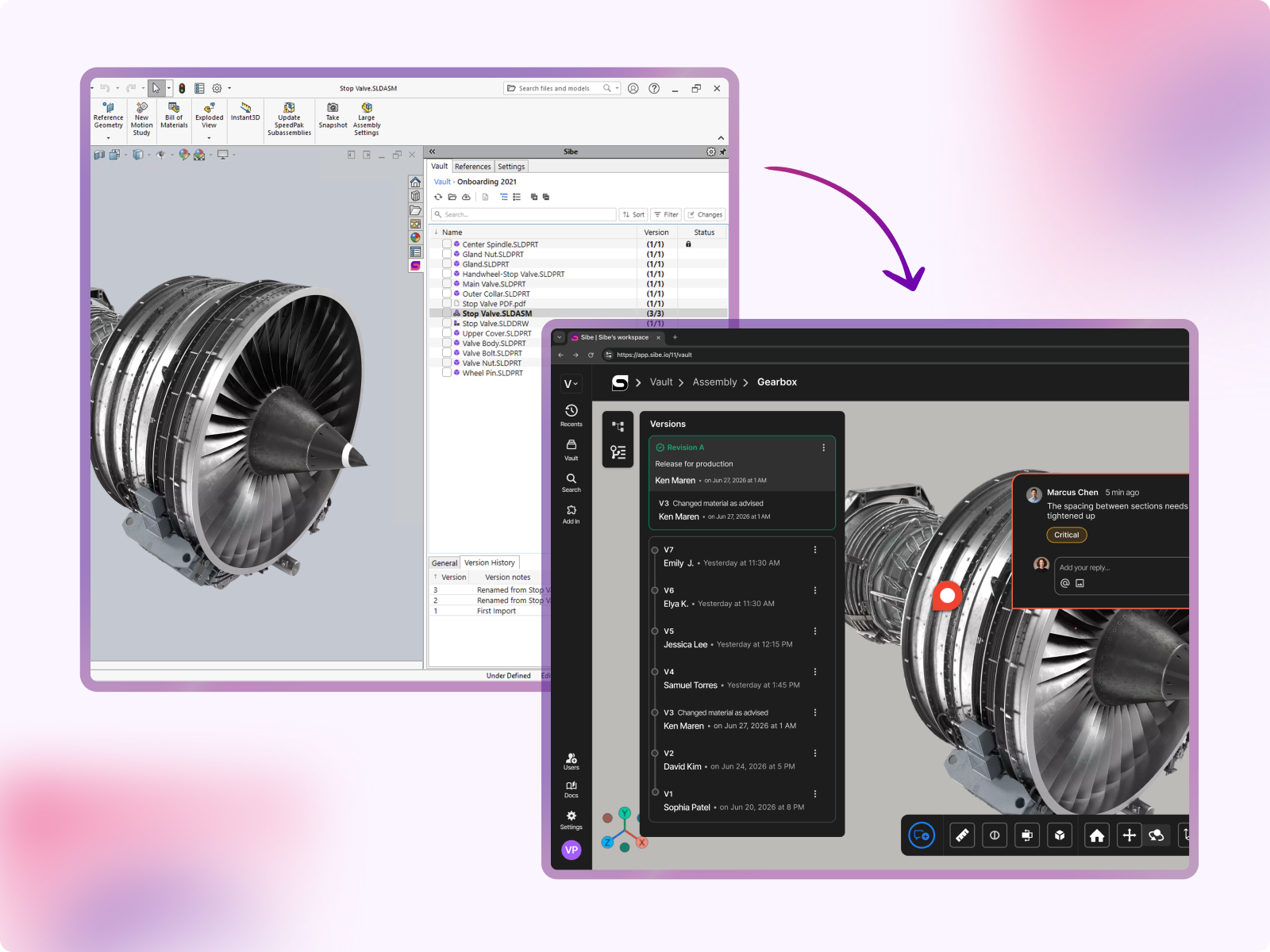
Track every version with confidence
Sibe creates a new version when files are checked in, and each version includes who changed it, when it changed, and an optional change note. That means you’re not relying on file renaming conventions or memory to reconstruct what happened.
If your team has ever hunted through v2, v3, and “approved” folders, you already know why this matters.
- Clear version timeline for every file.
- See what changed, when, and by whom.
- Roll back to any previous version.
Prevent accidental overwrites
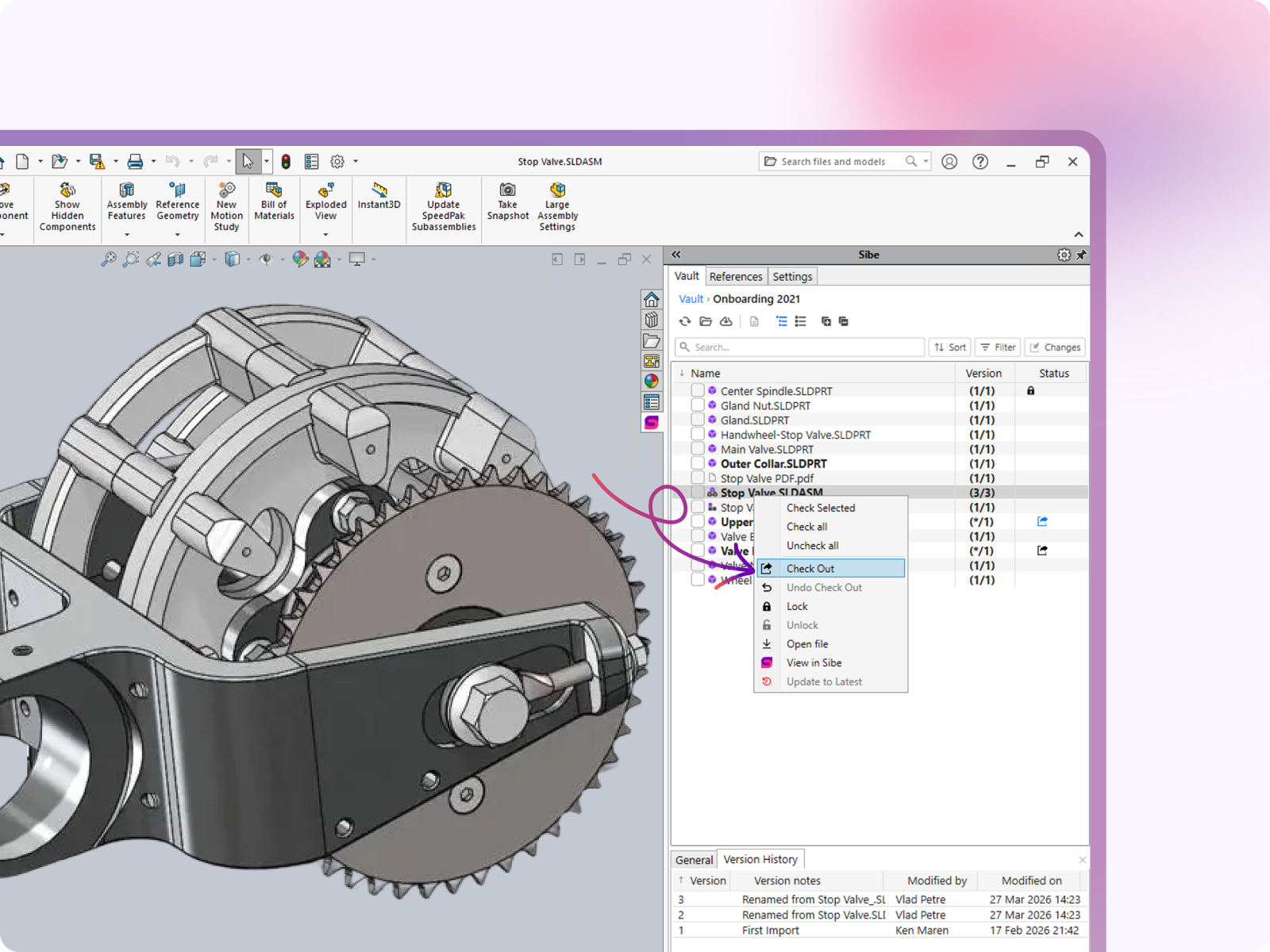
An individual file can only be checked out by one engineer at a time, to prevent accidental overwrites. Any file type can be checked out through the Sibe Add-in for SolidWorks for change traceability and audit logs.
- Only one engineer can edit a file at a time.
- Everyone else can still view the latest version.
- No confusion when work moves to review.
Release Approval Workflows
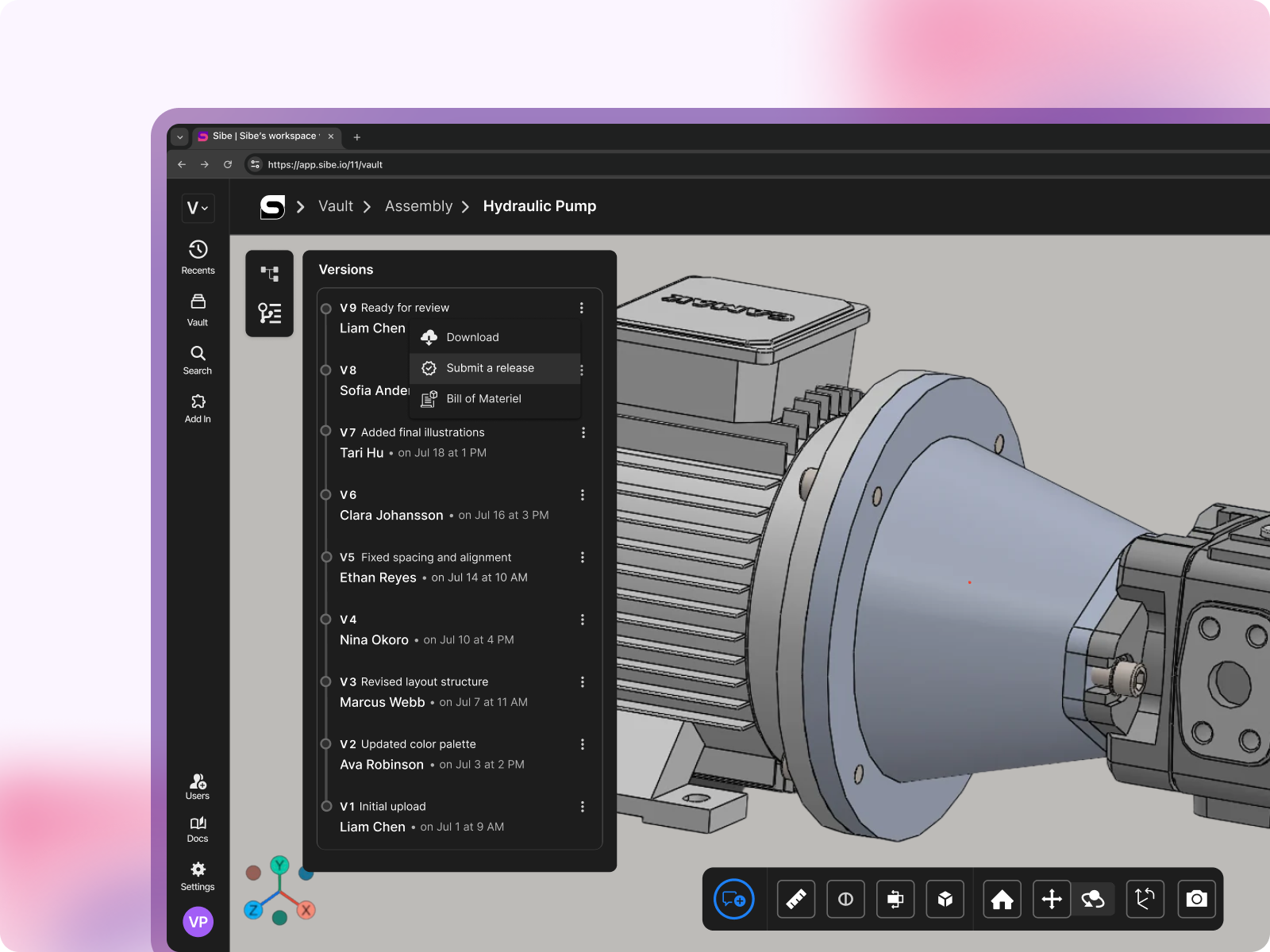
You don’t need a complicated workflow diagram to stop revision mistakes. Sibe gives you lightweight release control so your team can mark what’s ready for review, what’s approved, and what’s released—without slowing engineering down.
- Simple statuses your team will actually use.
- Clear visibility into what’s safe to manufacture.
- Audit trail without extra admin overhead.
Share versions easily with non-CAD reviewers
Version control breaks down fastest when a model leaves the engineering team. Sibe makes it easy to share the latest version for review — no more emailing files back and forth.
Send a secure link for any file or assembly.
Reviewers open files in the browser — no SolidWorks license needed.
Feedback stays tied to the exact version reviewed.
IP Protection Without Slowing Collaboration Down
Works for Everyone — Inside and Outside the Company
Sibe is designed for modern engineering teams, where the work doesn't stop at the company boundary. Whether you're co-developing with a partner, getting quotes from a supplier network, or walking a customer through a design review, the sharing experience is the same: fast, secure, and frictionless.
Internal engineers access the vault through the SolidWorks add-in or web app
External partners and customers access via browser link — no account required
No VPN. No IT ticket. No file sent over email.
"We're remote. The designer is in Philadelphia, our CTO is in Miami, and I'm in Austin. We needed a way to design, review, and release without everyone sitting in the same place — or even in the same software."

Alberto Lopez
Chief Executive Officer,
Sunfish
"Our SolidWorks files carry structured product data that people outside the CAD team regularly need to access. Bridging that gap was essential for our global growth."

Dean Pascasio
CAD Engineering Lead,
Nordair Systems
Enterprise-ready Security & Privacy
Everything in Sibe is designed to keep your work safe and secure.
Because your business is nobody else’s business.

SOC 2 Audited
Audited for Service Organization Controls (SOC 2 Type II) compliance.
Data Encryption & Backups
AES-256 encryption with daily backups and disaster recovery protocols.

Google Cloud Partner
Hosted on Google Cloud with data centers in Europe and the United States.
Frequently Asked Questions
How fast can we get set up?
Connect SolidWorks and start with a single project in under 20 minutes, once the add-in is installed and a workspace is created. During the demo, we’ll show the setup end‑to‑end so you can see what it looks like in real life. Book a demo here.
Does Sibe work with our current SolidWorks version?
Sibe works with SolidWorks versions 2019–2026. The connector installs as a standard SolidWorks add-in. Setup takes under 20 minutes.
Do we need a server or VPN?
No server provisioning is required, and remote access does not depend on a VPN. That’s one of the main reasons teams prefer to use a cloud-based CAD Management solution instead of maintaining an on‑prem setup.
Can we run Sibe alongside a Traditional PDM during evaluation?
Yes, most engineers evaluate Sibe with a subset of files while continuing their current workflow for everything else. This reduces risk and makes it easy to compare day‑to‑day usability before switching anything fully.
What happens to our existing SolidWorks files and folder structure?
Import existing SolidWorks files into Sibe, and version tracking starts from that point. Assemblies that reference parts and drawings are preserved as part of the import so you don’t lose relationships.
Will moving/renaming files break assembly references?
No. Sibe tracks file relationships inside the vault, so references stay intact when files are moved or renamed within Sibe.
How do you prevent two engineers from overwriting each other's work?
Sibe uses a check‑out/check‑in approach so when someone is editing a file, others can’t accidentally overwrite it. This reduces conflicts and removes the “who saved last?” risk.
Can non-CAD stakeholders review the latest version?
Yes—non‑CAD teammates (and clients) can review via the browser, tied to a specific version, so feedback maps to the exact revision. This helps avoid approvals based on the wrong file export.
Is it secure enough for our IP?
Data is encrypted at rest and in transit, and access can be controlled at workspace/project/file level. Sharing links can be permission-scoped and revoked when needed.
What does it cost, and where can I see pricing?
Pricing is public and transparent—no “quote-only” gating. You can view plans here: https://www.sibe.io/pricing
Book a free Demo with Ken to see Sibe in action


Ken Maren
Chief Solutions Architect
SolidWorks Expert with 30+ Years Experience
Thank you for requesting a demo.
Our Customer Success team will be in touch within one business day to arrange a suitable time.
Alternatively, please select a time slot directly from the calendar below.
Thank you for your interest!
Our Customer Success team will get back to you within one business day to schedule the demo call.
.png)