Why CeiliX moved its SolidWorks files off OneDrive to Sibe for CAD Management & 3D Collaboration


Company
Industry
Engineering
Headquarters
Website
Listen to Case Summary
From OneDrive folders to a cloud-based Engineering Collaboration Platform purpose-built for SolidWorks
CeiliX builds a modular platform for manual and automated intralogistics that moves material flow onto ceiling infrastructure: a rail system, transport runners, and autonomous robots. The engineering team of ten runs SolidWorks on large modular assemblies, with headcount planned to double within 18 months. Before Sibe, files lived in OneDrive folders with no version control system.
"We had a lot of assemblies and parts laying around, organized not so well in OneDrive. Revisions meant copying the file and putting Rev A or Rev B in the filename."

Interviewed for this study
Robin Heitz
Head of Robot Development, CeiliX
Outgrowing OneDrive folders
CeiliX hit three limits running a fast-growing SolidWorks team on OneDrive folders.
Revisions living in filenames
CeiliX ran its SolidWorks files in OneDrive folders with no version control system. Each revision was a copied file with Rev A, Rev B or Rev C in the name. Renaming a file broke assembly references, so assemblies opened with suppressed components and engineers went searching manually.
A team set to double
Ten engineers worked in the same modular assemblies, with headcount planned to double within 18 months. A shared folder doesn't lock files or show who has what checked out, so nothing stopped two people from editing the same part. The last save won.
Getting designs to production and sales
Sharing a design outside the CAD team meant generating STEP files and sending them around. Production and sales saw exported snapshots, not the current model, and there was no record of what was approved and released.
The Solution: Sibe
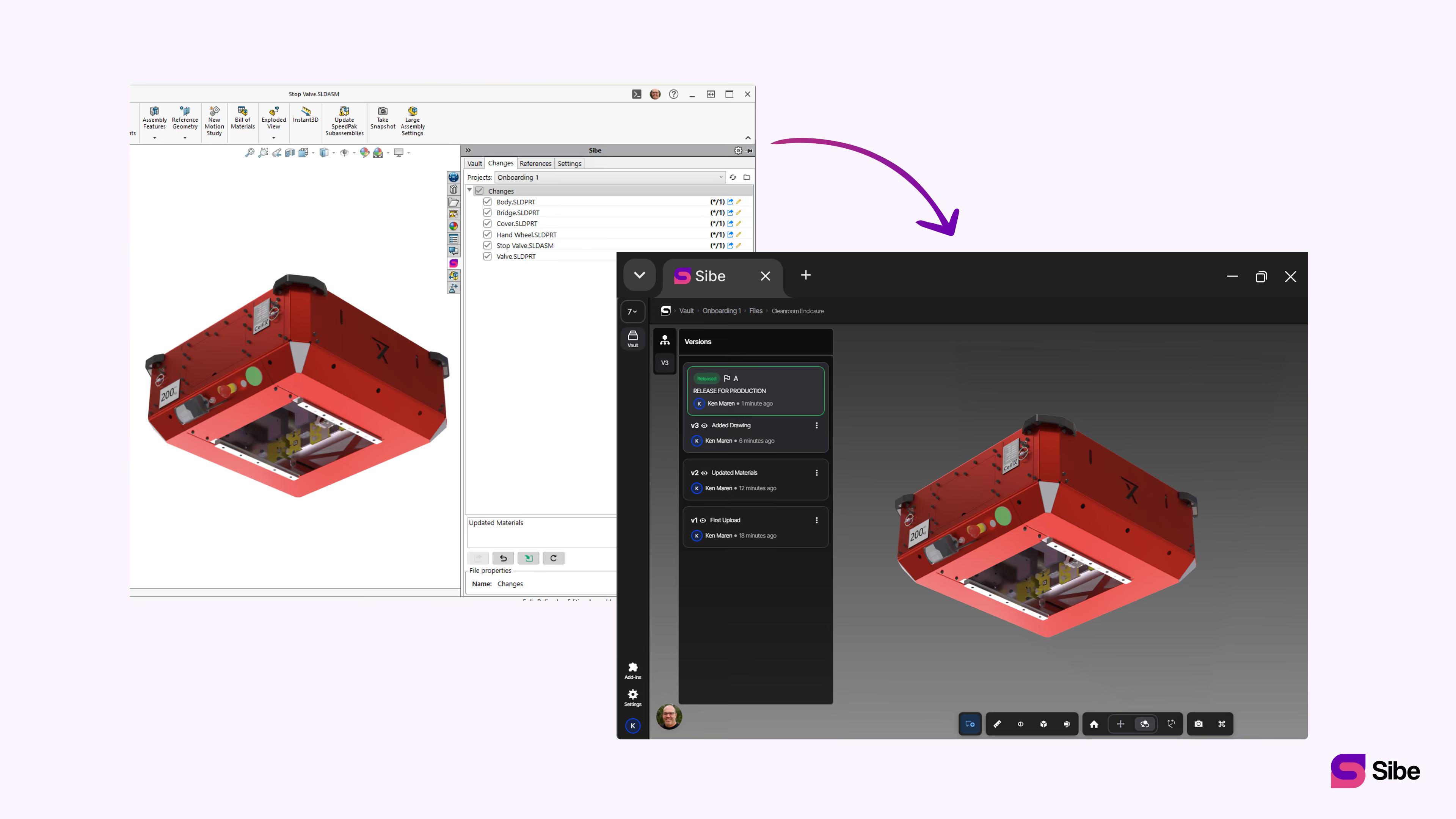
Native SolidWorks Add-in
CAD Engineers check files in and out directly in SolidWorks while Sibe tracks every version, handles assembly references, and keeps a local cache for offline work. No servers to install, no VPNs required, no SQL software to administer. Everything live in under 20 minutes.
Version control and revision workflows
Every check-in creates a version automatically. When a design is ready, it moves through the revision workflow: In Progress, Pending Approval, Released. Released files lock automatically, so no one edits a released design by accident.
Cloud-based, no infrastructure
Sibe runs in the cloud: no servers to maintain, no VPNs, no infrastructure to purchase. The team works from anywhere, every file syncs to one central vault, and visitor share links and QR codes on drawings let production and sales view the current model in any browser, no account needed.
Performance Benchmarks
Metric | Before Sibe | With Sibe |
|---|---|---|
File management | OneDrive folders, no version control | Cloud-based platform, every version tracked |
Version control | Rev letters in copied filenames | Built-in on every Check-in |
File access | Shared folder, no check-out | Check files out in SolidWorks; |
Release control | None | Revision workflow with release locking |
Setup | OneDrive folders, no system | Live in under 20 minutes, no servers or VPNs |
Book a free Demo with Ken to see Sibe in action


Ken Maren
Chief Solutions Architect
SolidWorks Expert with 30+ Years Experience
Thank you for requesting a demo.
Our Customer Success team will be in touch within one business day to arrange a suitable time.
Alternatively, please select a time slot directly from the calendar below.
Thank you for your interest!
Our Customer Success team will get back to you within one business day to schedule the demo call.
.avif)