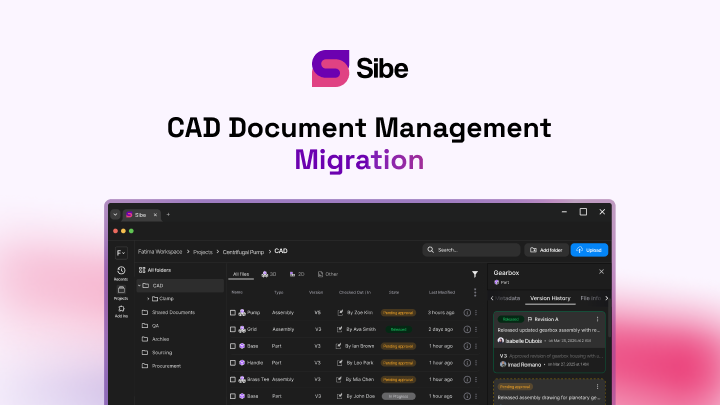
Bill of Materials: your SolidWorks assembly now builds its own parts list

This is the biggest capability we've added to Sibe this year. Check in a SolidWorks assembly and an indented Bill of Materials is waiting in the Web Dashboard — parts, subassemblies, and quantities read straight from the assembly's own references. Map your custom properties to columns, add the items you never model, and export to Excel or CSV when purchasing needs it.
You can now check in a SolidWorks assembly and get an indented Bill of Materials in the Web Dashboard. No drawing created just to hold a BOM table. No expanding the feature tree and typing part numbers into a spreadsheet.
Of everything we've shipped this year, this is the one that changes the most about a working day. Version control kept your files straight. Reference handling kept your assemblies from breaking. This puts the parts list on that same footing — one source, updated by the same action you already take.
Open the BOM from any assembly
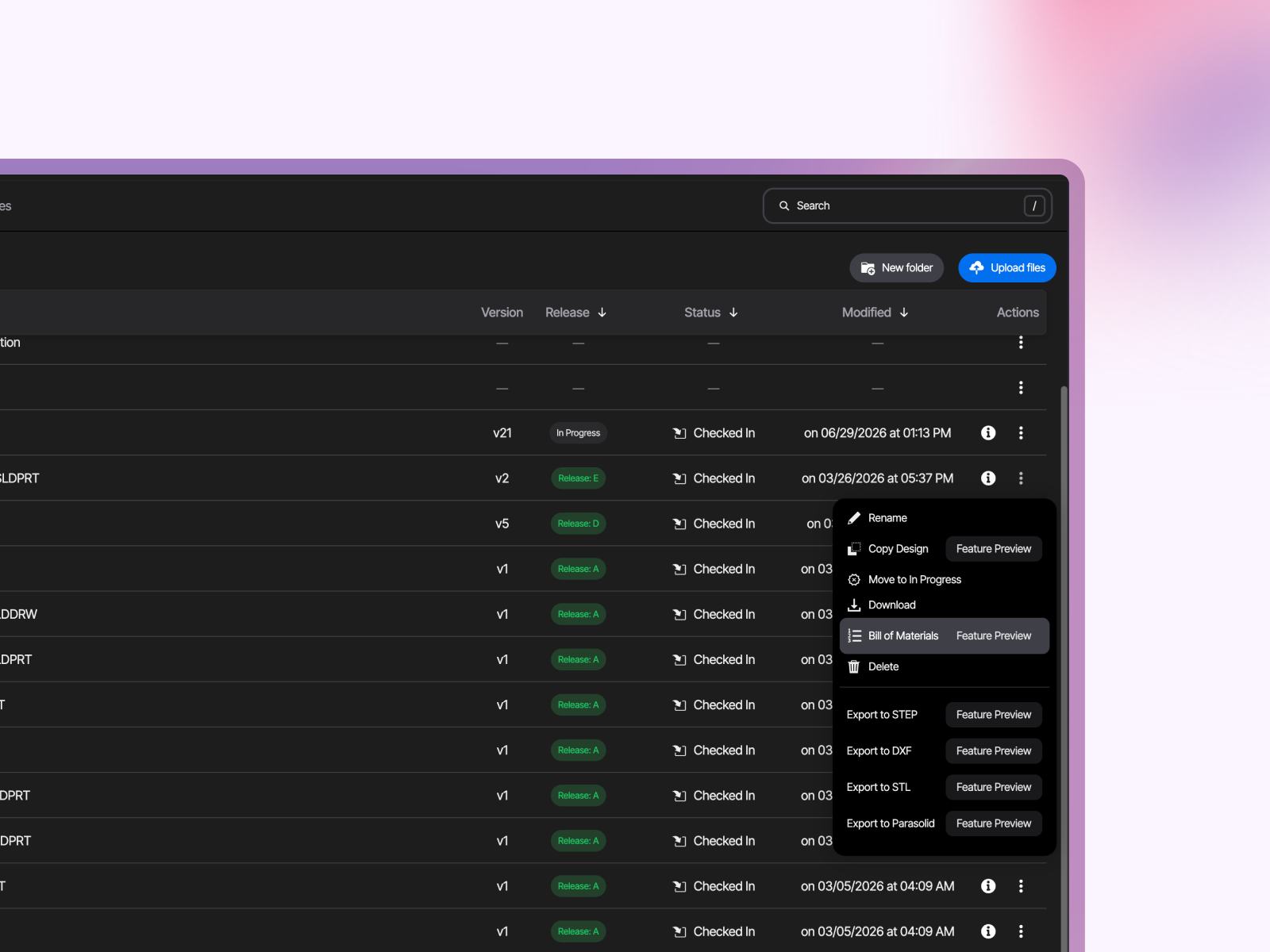
In the Web Dashboard, open the menu on an assembly in your vault and choose Bill of Materials. Nothing to configure first — you get an indented BOM with Filename and QTY filled in.
Quantities count automatically, including parts that repeat across subassemblies. That's the tally most people still do by hand, and the one most likely to be wrong on a list typed into Excel at the end of a Friday.
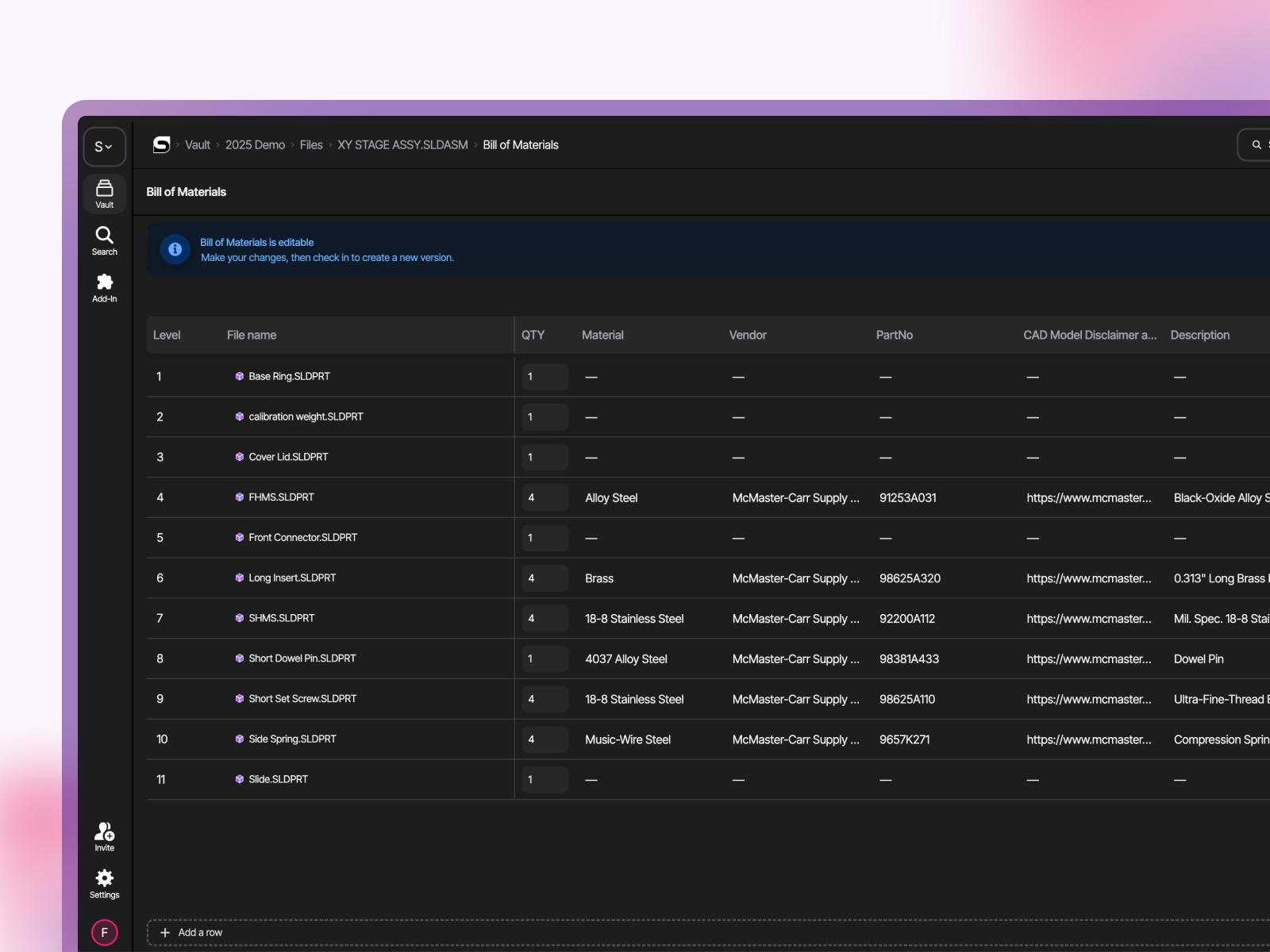
Your SolidWorks custom properties become the columns
The product data is already in your files — part numbers, materials, vendors, descriptions, finishes. Add a column, pick the property, and Sibe fills it in from what it read at check-in. Tracking something that lives outside CAD? Add a blank column and type it in.
If you already link revision numbers to properties, those same fields are available here.
Edit it without breaking it
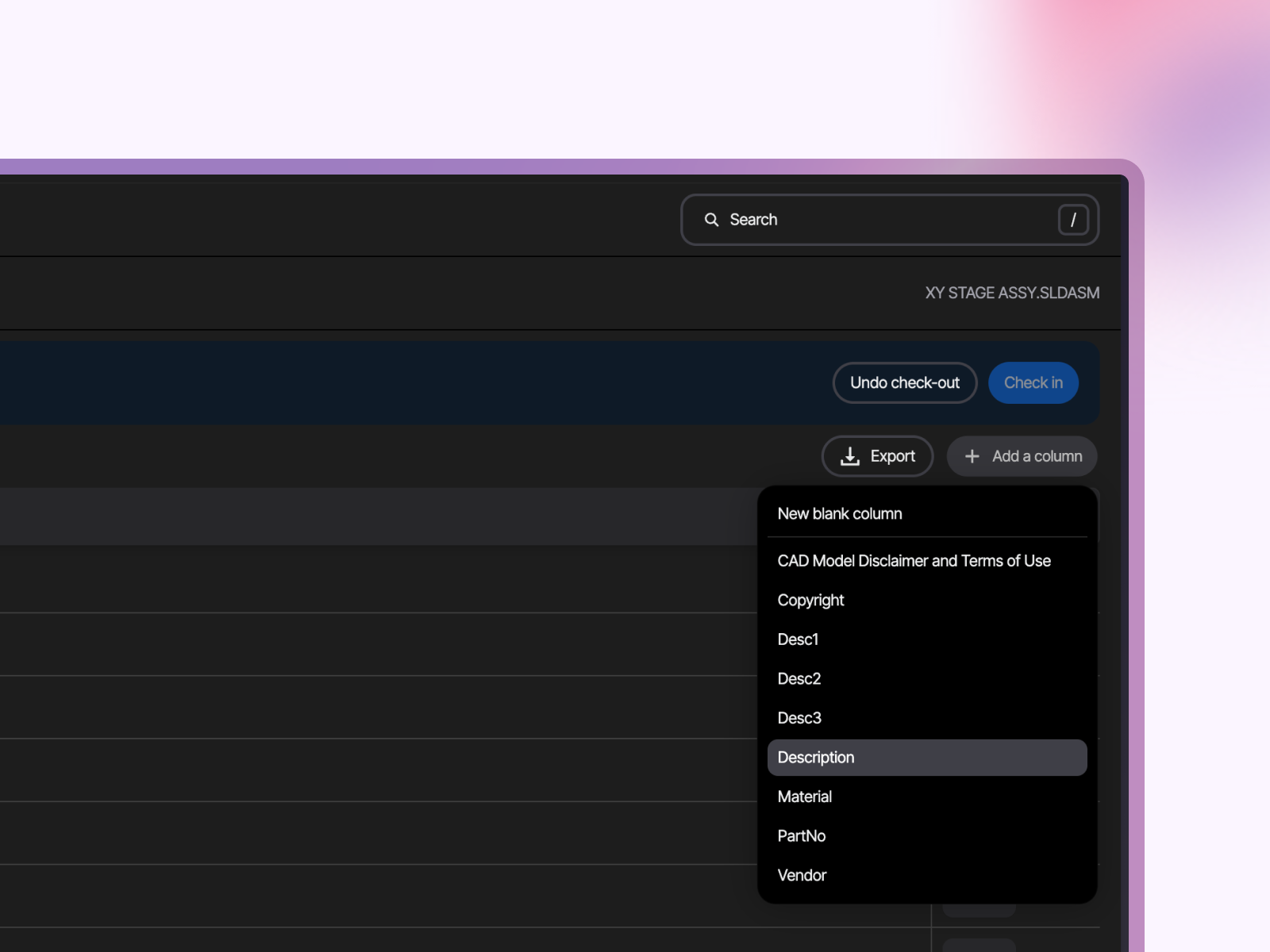
A shipping product is more than what you model. Check out the BOM and add rows for packaging, fasteners, adhesives, grease — the items that never appear in a feature tree. Adjust quantities where the model doesn't tell the whole story. Check it back in and Sibe creates a new version of the BOM; Undo Check-Out discards the edits.
The same check-out rule that protects your CAD files protects the parts list. Two people can't quietly overwrite each other.
It updates with the next check-in
Change a material, swap a component, add a fastener. Check the assembly in and the BOM data updates with it.
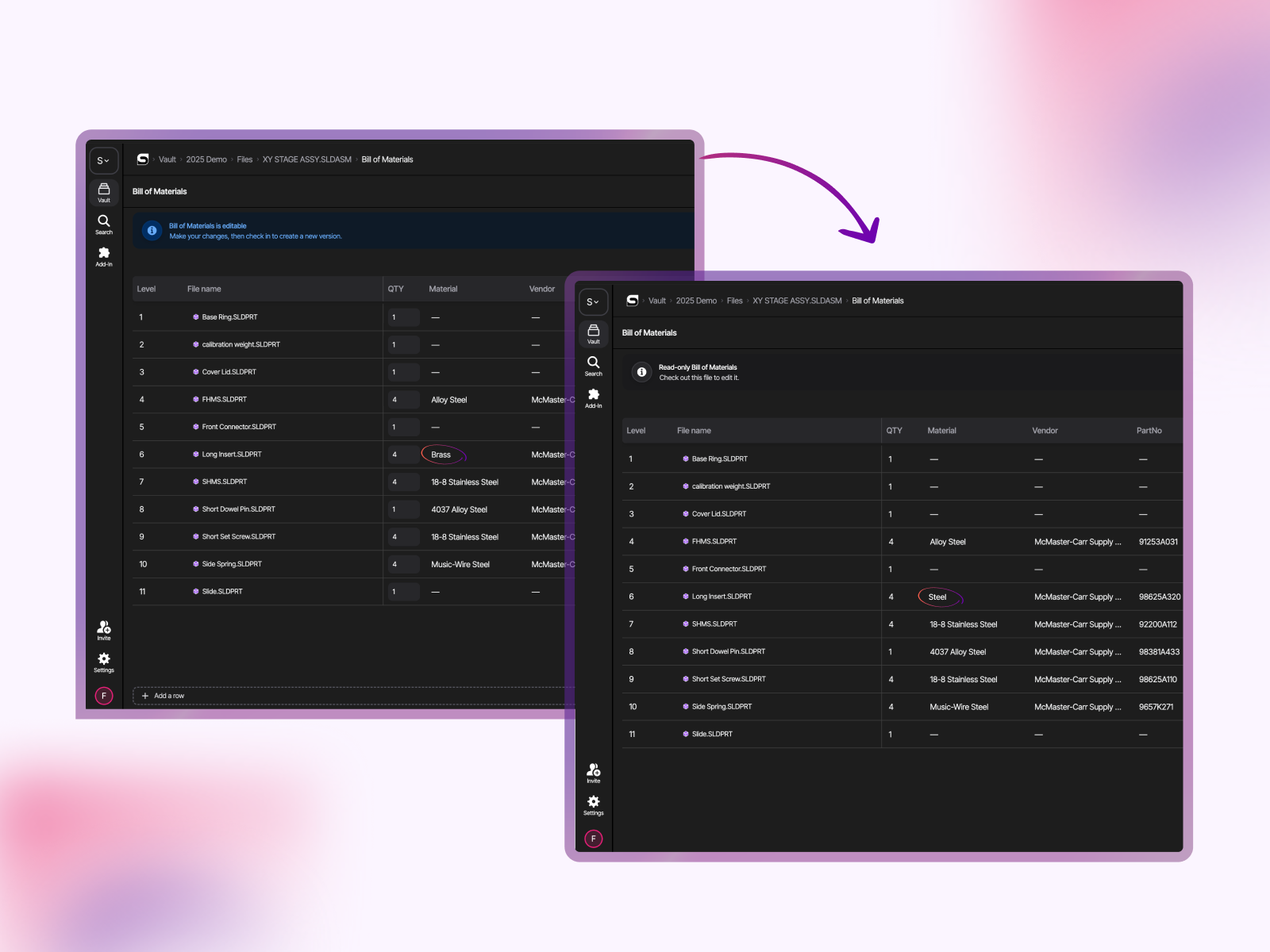
This is the part that matters when you're comparing options. A parts list is only useful if it matches the CAD, and the ones that drift are the ones kept somewhere separate from it — which is why BOM spreadsheet templates only get you so far.
Export when you need to hand it over
Export to Excel (XLSX) or CSV straight from the Dashboard — for purchasing, for a quote, or to load into another system.
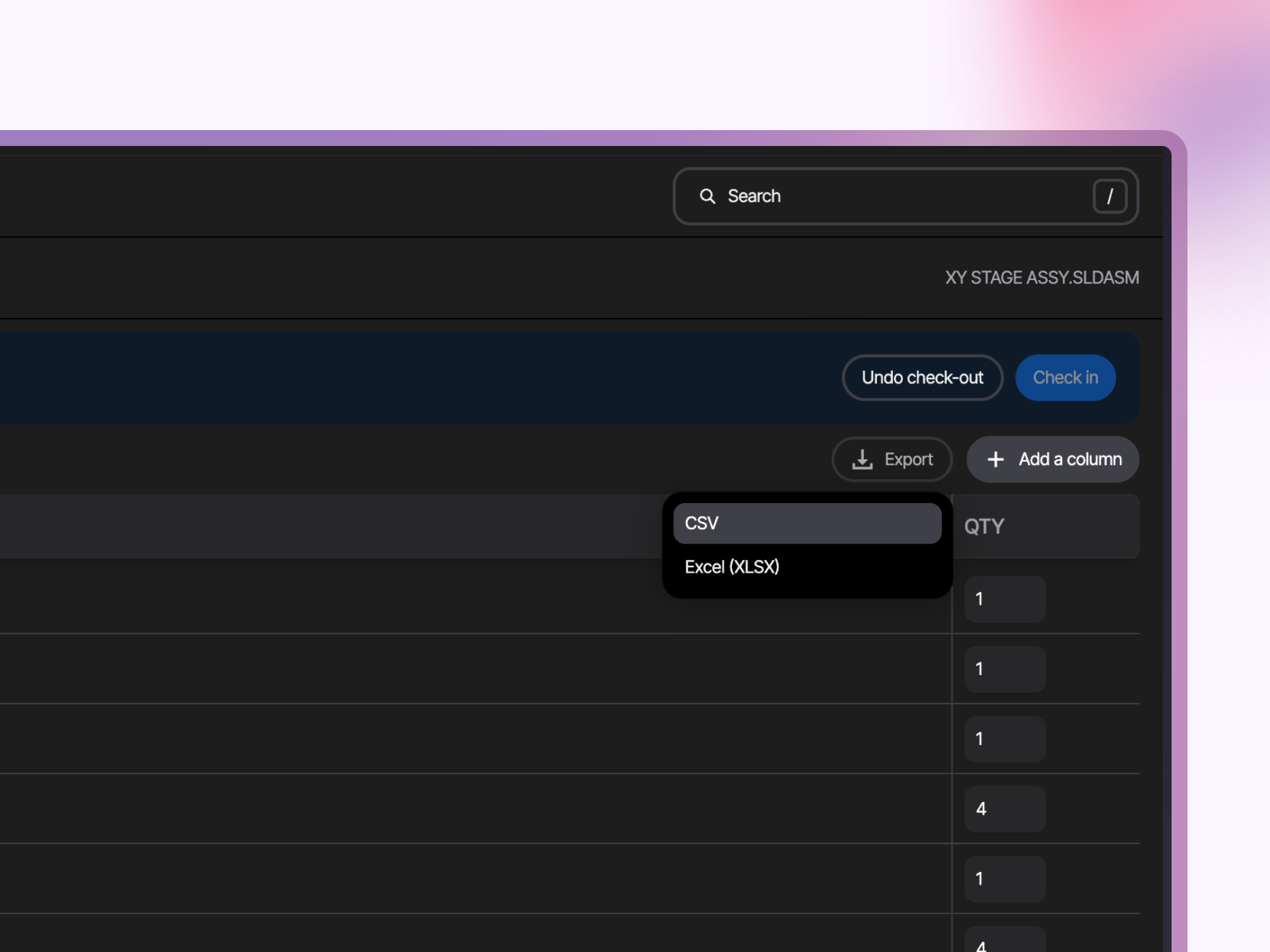
Worth being precise: the BOM in Sibe stays the current one, so the export is a snapshot you send out, not a copy you maintain. That's the difference between exporting from a live source and making the spreadsheet the source.
Purchasing doesn't need a SolidWorks seat
Editors and Contributors generate, edit, and export BOMs. Viewers get read-only access. Everyone works from the same list, in the browser — so purchasing, project managers, and production can read the parts list without a CAD license and without waiting for someone to email them a PDF.
What this release covers
Straight, so nothing surprises you in a trial: the current release builds one indented BOM from the assembly's Default Configuration. All BOM work happens in the Web Dashboard. BOMs are available on the Business Plus plan.
What else landed alongside it
BOM is the headline, but it arrived with a run of work engineers notice day to day:
- Copy Design — duplicate an assembly with its drawings, references repointed to the new files
- Bulk check-in and check-out directly in SolidWorks
- Search, sort and filters in the Vault tab of the add-in, and a faster add-in overall
- Auto-updating references when files move, get renamed, deleted, or imported
- DWG and DXF viewing in the browser
- Per-folder caching, so you're not syncing the whole vault
Same pattern each time: the workflow you already have in SolidWorks, with fewer places for the data to go stale.
See it on your own assembly
The fastest way to judge a BOM tool is to point it at a real assembly — ideally a messy one, with subassemblies and repeated hardware.
New to Sibe? Book a free 20-minute demo and Ken will build a BOM live from one of your files and answer the workflow questions. Or start a 14-day free trial — no credit card — and check one in yourself. Setup takes under 20 minutes.
Already using Sibe? Open any assembly in the Web Dashboard and choose Bill of Materials. Update the add-in from the Dashboard for the bulk check-in and Vault tab improvements.
No servers, no VPNs, no admin hassles.
Book a free Demo with Ken to see Sibe in action


Ken Maren
Chief Solutions Architect
SolidWorks Expert with 30+ Years Experience
Redirecting...
.png)