Using SolidWorks from Home: VPN and Remote Access Options

Your license type and your network decide how well SolidWorks works from home — these are the remote-access routes engineering teams rely on, and what each one takes to set up.
You can run SolidWorks from home and keep full access to your team's design files — the question is which route gets you there with the least setup and the fewest slow afternoons. The answer depends on two things: your license type and where your files live.
Sibe is a collaboration-first cloud CAD Document Management platform with a native SolidWorks add-in. Files live in the cloud, engineers check them in and out directly in SolidWorks from wherever they work, and every version is tracked automatically — which changes the remote-access math, as the last section shows.
Know your license model first
How you access SOLIDWORKS® 3D CAD remotely depends on which license you run:
- Standalone license — tied to one machine; to work from home, you deactivate it on the office PC and reactivate it on the home PC
- Online license — tied to your user account; log in from different machines, with internet access required
- SolidNetWork License (SNL, floating) — licenses pool on a company server and go out to client machines on demand; standard in multi-engineer offices
- Login-based licensing on the 3DEXPERIENCE platform — follows the user's credentials rather than a device
(Dassault Systèmes SOLIDWORKS licensing documentation, accessed 31 August 2026.)
VPN: the classic route
For companies running floating SNL licenses and office-hosted data servers, VPN is the traditional answer. The home PC or work laptop joins the company network over VPN, which exposes the license server and the file servers as if the machine were in the office.
What it takes:
- Firewall ports opened for the license server and any database or archive servers
- A stable connection — VPN adds latency, and large file transfers feel it first
- Company-issued laptops rather than personal PCs
- Multi-factor authentication and endpoint protection enforced
The trade-offs are real. VPN extends the company network to wherever the laptop sits, so an unmanaged personal PC becomes a security risk. And performance is worse than the office LAN — pulling a large assembly across a consumer internet connection is the slowest way to open it. Many teams remote-desktop into an office workstation instead, streaming only screen data while the files stay on the LAN.
License borrowing and online licensing
- Borrow a floating license — check out a license from the SNL server while on the office network, then work offline for a set period on a company machine
- Switch a standalone license to online licensing — log in from any machine where SolidWorks is installed, with no VPN involved
- Ask your reseller about temporary licenses — during COVID-19, resellers issued short-term license files for remote users; programs change, so ask what applies today
(Dassault Systèmes SOLIDWORKS licensing documentation, accessed 31 August 2026.)
Working with an office-hosted vault away from the office
Teams that manage files in an office-hosted vault have a few established patterns for remote work:
- Cache files before leaving — check out what you need while on the office network, work locally, and check back in when you reconnect
- Copy the assembly out — export the assembly and its references as a ZIP, work on the copy, and bring the finished work back in afterward
- Remote-desktop into an office workstation — files and vault traffic stay on the office LAN; only screen data crosses the internet
The 3DEXPERIENCE route
Dassault Systèmes also offers SOLIDWORKS through the 3DEXPERIENCE platform. Licensing follows the user's login rather than a machine, the software installs on any supported PC, and data management runs on the platform in the cloud, so access does not depend on a company VPN. It is sold as a subscription. (Dassault Systèmes product documentation, accessed 31 August 2026.)
Common pitfalls
- Expecting the old home-use license — the home-use program many engineers remember was discontinued; ask your reseller what your current subscription includes (Dassault Systèmes documentation, accessed 31 August 2026)
- Opening huge assemblies over VPN — latency punishes every file operation; use remote desktop or an offline copy instead
- Forgetting the license before leaving — a floating license borrows only from inside the office network, so plan the checkout before you head home
- Unclear IT policy — agree with IT on what is allowed from personal devices before the first remote day, not after something breaks
Choosing the right approach
- Small team, standalone licenses — switch to online licensing and log in from wherever you work
- Mid-sized company with SNL — company laptops with VPN and MFA, or license borrowing for planned remote days
- Teams on an office-hosted vault — remote desktop or offline workflows beat pulling assemblies across a VPN
- Teams that mostly need to share designs — a browser link beats any network setup; that is the next section
Sharing designs without opening the network: where Sibe fits
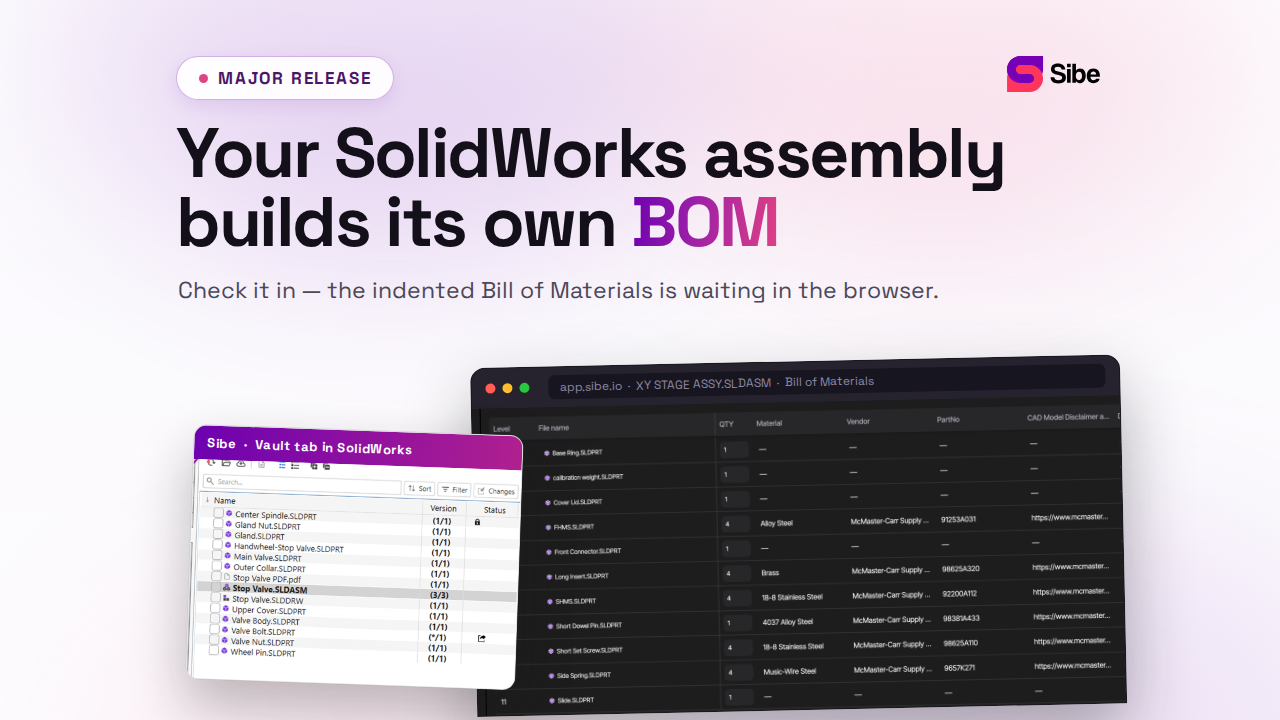
With cloud CAD document management like Sibe, there is no VPN to stand up. Files live in the cloud. Engineers keep checking files in and out directly in SolidWorks, exactly as they would at a desk in the office, and Sibe tracks every version automatically. When someone outside the CAD team needs to see a design — a client, a supplier, a manager at home — you send a share link that opens the live 3D model in any browser. No Sibe account, no viewer install, and nobody touches your company network to view a design. Every link comes with a QR code for printed drawings.
Remote engineers get the same footing as office engineers: files, versions, and reviews reachable from anywhere, with setup live in under 20 minutes (remote team collaboration, secure design sharing). No servers, no VPNs, no admin hassles.
Book a free 20-minute demo or try Sibe free for 14 days — no credit card.
Book a free Demo with Ken to see Sibe in action


Ken Maren
Chief Solutions Architect
SolidWorks Expert with 30+ Years Experience
Redirecting...
Demo bookings need a company email address. To use a personal one, choose Try Sibe for free below.
.png)