The Most Popular SolidWorks Add-Ins for Engineering Teams

The add-ins engineering teams install most — simulation, CAM, rendering, cost estimating, and file management — and the job each one does.
You can add FEA, CNC programming, photorealistic rendering, cost estimates, and version control to SOLIDWORKS® 3D CAD without leaving the window — that is what the add-in ecosystem is for. The hard part is knowing which add-ins earn their place in the startup list.
Sibe is part of that ecosystem: a collaboration-first CAD Document Management platform whose native add-in puts version control in the SolidWorks task pane. Files check in and out directly in SolidWorks, every version is tracked, and assembly references resolve automatically. It appears below with the rest of the field.
Why add-ins matter
Most engineering teams lose time to the same things: repetitive modeling work, file conflicts, and reviews that wait on exports. Add-ins keep that work in SolidWorks instead of pushing it out to separate tools and import-export loops. Because an add-in runs in the SolidWorks process itself, it reads the open model directly — no exports, no re-imports, no stale copies. The result is shorter design cycles, fewer errors, and reviews that start sooner.
Add-ins bundled with SolidWorks
Several add-ins ship with the software (Dassault Systèmes product documentation, accessed 31 August 2026):
- Toolbox — library of standard hardware; bolts, bearings, and gears drop straight into assemblies
- SimulationXpress — first-pass stress checks on single parts before committing to full analysis
- DriveWorksXpress — rules-based automation for repeat designs and product variants
- Costing — model-based manufacturing cost estimates while you design
These cover the basics for most teams, and they are the right place to start before buying anything. One caution from daily practice: Toolbox parts are shared across every assembly that uses them, so an uncontrolled edit to one fastener propagates everywhere. Configure Toolbox to the team standard, and keep shared parts under version control.
Simulation, rendering, and CAM in the SolidWorks family
Beyond the bundled tier, Dassault Systèmes offers its own add-in products: SOLIDWORKS Simulation for full FEA, SOLIDWORKS Visualize for photorealistic rendering, and SOLIDWORKS CAM for machining programs generated from the model (Dassault Systèmes product documentation, accessed 31 August 2026).
Third-party add-ins for specialized workflows
The wider ecosystem targets specific industries and bottlenecks:
- CAMWorks — CNC programming tied to the model, so toolpaths follow design revisions
- Power Surfacing — organic, freeform shapes modeled without switching tools
- Xometry — instant manufacturing quotes and lead times pulled from the open model
- ExactFlat — flattening and nesting for textiles and composites
These extend SolidWorks into advanced manufacturing, surfacing, and supply-chain work. Each installs as a standard add-in and appears under Tools > Add-Ins, where you control whether it loads per session or at startup.
File management and version control add-ins
Ask an engineering manager where time actually disappears, and the answer is rarely simulation. It is file handling: two people editing the same part, assemblies that open with broken references, and nobody certain which version went to the supplier. Shared drives make it worse — duplicate copies of the same assembly, a folder full of files named final-v2-FINAL, and a reference chain that breaks the first time someone reorganizes a folder. File management is the add-in category that changes daily work most, because version control only sticks when it lives where the files are made.
Dassault Systèmes covers this category with SOLIDWORKS PDM, its product data management system for SolidWorks environments (Dassault Systèmes product documentation, accessed 31 August 2026).
The Sibe add-in
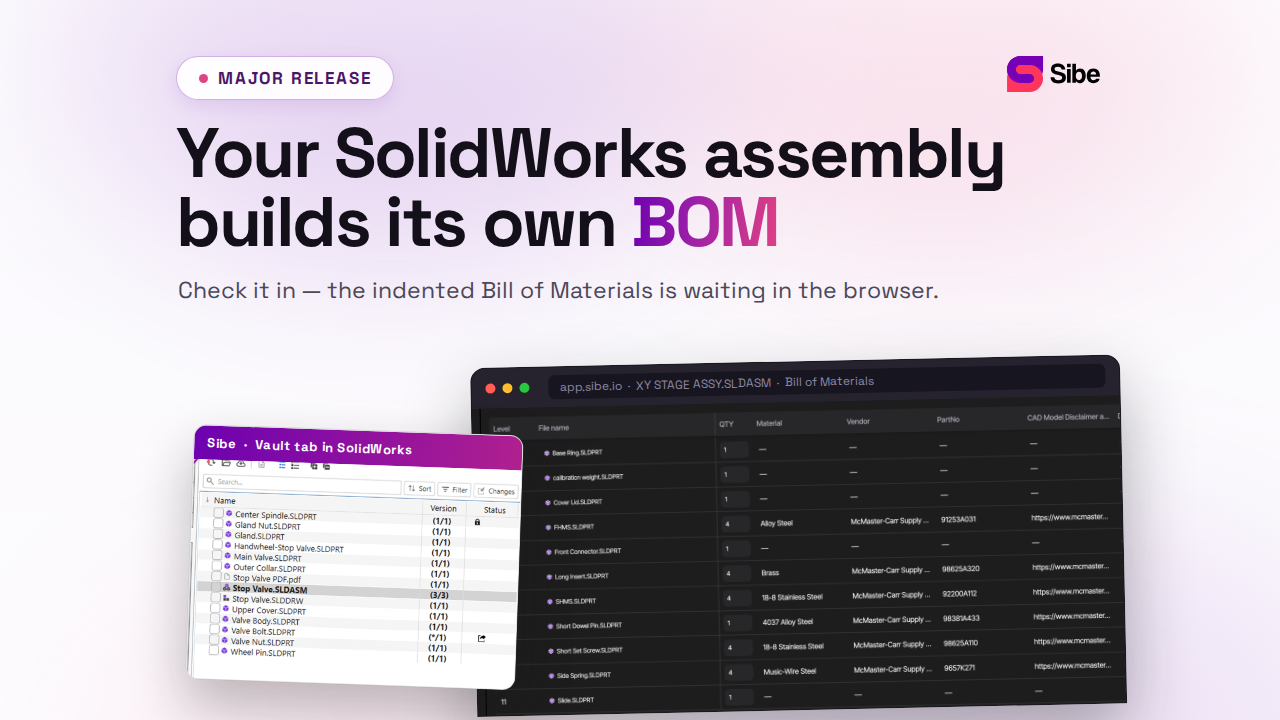
Sibe's native add-in handles CAD file management from the SolidWorks task pane:
- Check files in and out directly in SolidWorks — a lock every teammate can see
- Automatic version history at every check-in: who, when, and what changed
- Assembly references resolve automatically, including parts shared across projects
- Free share links and QR codes — reviewers open the live model in any browser, no account needed
- Revision and approval workflows with a full audit trail
- Live in under 20 minutes
Setup order for a new team: create the workspace, install the add-in, bring in the current assembly through the guided first-time setup, and check the project in. The local cache folder mirrors your existing folder structure, so the move does not reorganize anyone's work. Engineers stay in the tool they already use; reviewers, clients, and non-CAD teammates get a browser view of the current design.
How to choose which add-ins to load
- Start from the bottleneck, not the catalog — install the one add-in that removes this month's slowest step
- Check version compatibility before every SolidWorks upgrade, since add-in updates can lag major releases
- Load only what you use — each active add-in extends startup time, and Tools > Add-Ins controls what loads at launch
- Count what an add-in costs across the whole team, not one seat — per-seat tools multiply fast
- Prefer tools whose output reviewers and suppliers can open without a license
- Pilot on one project before rolling anything out team-wide
A practical loading rule: keep the file management add-in and Toolbox on at startup, since every session touches files and hardware, and switch analysis or CAM add-ins on only for the sessions that use them. SolidWorks starts faster, and nothing you rely on daily is ever missing.
Where Sibe fits
Most add-ins speed up one engineer's task. A file management add-in changes how the whole team works, because every part, assembly, and drawing passes through it. Sibe gives a SolidWorks team version control, resolved references, revision workflows, and browser sharing from the same task pane where the design work already happens — live in under 20 minutes. No servers, no VPNs, no admin hassles. Book a free 20-minute demo or try Sibe free for 14 days — no credit card.
Book a free Demo with Ken to see Sibe in action


Ken Maren
Chief Solutions Architect
SolidWorks Expert with 30+ Years Experience
Redirecting...
Demo bookings need a company email address. To use a personal one, choose Try Sibe for free below.
.png)