3D Project Reviews: A Guide for SolidWorks Teams

You can catch a clash at 30% instead of at the prototype, if the review happens at the right moment with the right people looking at the actual model. This is the working guide: who attends, when to review, what each stage should find, and what usually goes wrong.
Why the model replaced the drawing
Design review used to mean a drawing on a table. A flat view carries dimensions well and spatial relationships badly, which is why clashes were found on the shop floor rather than on paper.
Three things changed that. Processing power made real-time 3D ordinary. Software got usable by people who are not specialists. And rendering got good enough that a non-engineer can look at a model and understand what they are seeing.
That last one matters more than it sounds. It is what let people outside engineering take part in a review at all.

What a 3D review gives you that a drawing does not
- Any angle, including the ones nobody thought to draw
- Real spatial relationships — clearance, reach, interference
- True scale, which is where packaging problems show up
- Simulation before a prototype exists
- Component interaction across disciplines, in one place
Who should be in the room
Designers and engineers are a given. The reviews that catch expensive problems have more than that:
- Manufacturing. Can this actually be made on your machines, at your tolerances, at this volume? The earlier this is asked, the cheaper the answer
- Quality. How is it inspected, and against what
- Purchasing. Lead times and availability on the parts specified
- Assembly. Whether a person with two hands can build it in the order the model implies
- Compliance, where regulation applies to the product
- The client, who is the only one who can confirm it is the right thing to build
Most of those people do not have CAD. If joining the review means installing software, they will not join, and their expertise arrives after the design is frozen.
The three moments to review
Around 30% — is this the right shape
Concept and layout. You are checking the architecture: does the overall approach hold, does it fit its envelope, are the major interfaces plausible.
Problems caught here cost almost nothing. Problems missed here are the ones that get expensive.
Around 60% — does it work in detail
Detailed design, component layout, tolerances, serviceability. This is the longest review and the one that benefits most from manufacturing being present.
Around 90% — is it complete and correct
The comb-through before release. Documentation, drawings, part numbers, anything missing. You are not redesigning here; you are confirming.

Running the review itself
Prepare the model
Make sure what people are looking at is the current version, and that you can say so with certainty. A review of a superseded file wastes everyone's afternoon and produces decisions you have to unwind.
Give people a way in
Send a link rather than a file. The model opens in a browser — rotate, zoom, section, measure — with no CAD license and no account to create.
Collect feedback on the geometry
A comment pinned to a face is an instruction. The same comment in an email is a description that someone has to interpret, and interpretation is where rework comes from.
Close the loop
Every comment needs a state: open, in progress, done. Upload the revised model as a new version with the comments still attached, so reviewers can see what was addressed without asking.

Fitting reviews into how you already work
Tie review milestones to your project plan so the 30/60/90 checkpoints are dates rather than intentions. If you run sprints, a review at the end of a sprint gets you feedback while the design is still soft enough to change.
The failure mode is the review that keeps slipping because getting everyone in one place is hard. Asynchronous review fixes that: people comment when they can, and the model waits.
What usually goes wrong
The wrong version. The most common and the most expensive. Version history behind the model removes it entirely.
Reviewers who cannot open the file. The people whose input you need most are the least likely to have CAD.
Feedback that arrives as prose. "The bracket looks tight" costs a round trip. A comment pinned to the bracket does not.
Nobody knowing what was decided. If the outcome lives in a meeting nobody minuted, it did not happen. Comments with states and a version history give you that record for free.
Reviewing too late. A 90% review that finds a 30% problem is not a review. It is a rebuild.
Where the tooling comes in
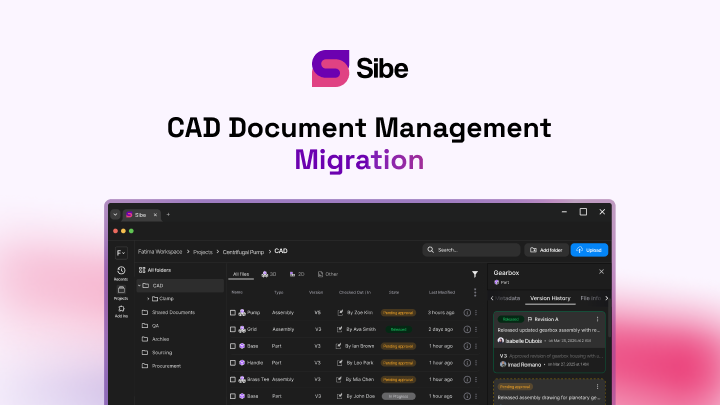
Sibe is a collaboration-first CAD Document Management platform with a native SolidWorks add-in. For reviews that means the model under discussion is the current one — engineers check in and out directly in SolidWorks, and every version is recorded — while reviewers open it in a browser and pin comments to the geometry.
Comments stay anchored when a new version goes up, so the thread survives the revision it caused.
No servers, no VPNs, no admin hassles.
Where to start
Take the next review you have scheduled and change one thing: send the model as a link instead of a slide deck of screenshots.
Then count how many messages it takes to close one comment. That number is the whole argument.
Book a free Demo with Ken to see Sibe in action


Ken Maren
Chief Solutions Architect
SolidWorks Expert with 30+ Years Experience
Redirecting...
Demo bookings need a company email address. To use a personal one, choose Try Sibe for free below.