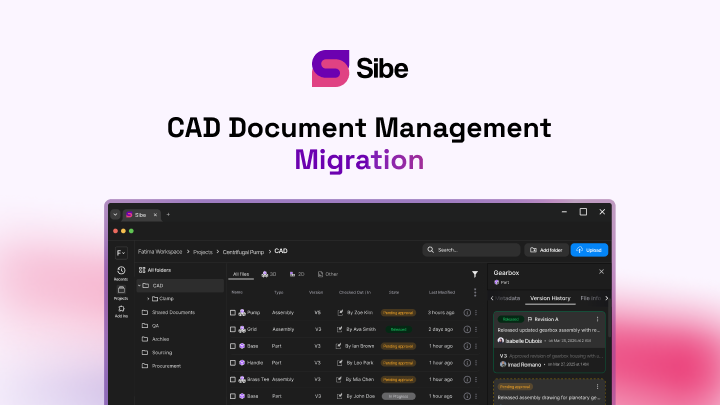
Sibe vs Wikifactory for SolidWorks Teams: A Comparison

What SolidWorks teams get from each platform — check-in/check-out and resolved references on one side, browser-first project collaboration on the other.
You can put SOLIDWORKS® 3D CAD files under version control and let anyone review them in a browser — the open question is whether that layer runs as an add-in in SolidWorks or as a separate web platform. That is the practical difference between Sibe and Wikifactory, and it decides which one fits the way your team works.
Sibe is a collaboration-first CAD Document Management platform with a native SolidWorks add-in. Files check in and out directly in SolidWorks, every check-in records a version, and assembly references resolve automatically — including parts shared across projects.
Wikifactory is a browser platform for collaborative product development. Projects collect CAD files, documentation, and discussion in one place, files carry version history, and a built-in viewer renders a wide range of CAD formats for anyone with access (Wikifactory public documentation, accessed 31 August 2026).
The core difference: add-in or web platform
Wikifactory lives in the browser. You upload or sync files into a project, teammates and outside contributors view and discuss them there, and the platform keeps history as files change. It grew out of open-hardware collaboration, and that shows in its strengths: documentation, discussion, and community around a design.
Sibe lives where the modeling happens. The add-in sits in the SolidWorks task pane: check-out locks a file, check-in records the version, and the web dashboard carries reviews, revisions, and sharing. A local cache folder mirrors your project structure, so files behave the way a SolidWorks team expects them to.
CAD integration
| Area | Sibe | Wikifactory |
|---|---|---|
| Where engineers work | In SolidWorks, through the native add-in | In the browser, on the project page |
| Getting files in | Check-in directly in SolidWorks | Upload or sync files into the project |
| Assembly references | Resolve automatically, including parts shared across projects | Files and folders organized per project |
| Viewing without CAD | Free share link opens the live 3D model in any browser | Built-in browser viewer for project files |
For a SolidWorks team the integration question is daily, not occasional: every save, every reference, every rename passes through it. An add-in keeps that traffic in the CAD window; a web platform handles it at the project level.
Version control
| Area | Sibe | Wikifactory |
|---|---|---|
| Model | Check-out/check-in with file locking | File version history within the project |
| What gets recorded | A version at every check-in — who, when, and what changed | File updates tracked as the project evolves |
| Conflict protection | A checked-out file is locked for everyone else | Contributions coordinated through the project |
| Older versions | View an older version directly in SolidWorks, or restore from the dashboard | Earlier file versions kept in project history |
Locking matters most on assemblies. When one engineer has a part checked out, nobody else can overwrite it — and because references resolve automatically, the assembly still opens correctly while parts move through revisions. That is the failure mode shared drives never solve, and the reason version control belongs where files are made. The mechanics are on the cloud version control page.
Collaboration and sharing
Both platforms make a design viewable without a CAD seat — they just aim at different rooms.
Wikifactory gathers files, documentation, and discussion threads in one web workspace, a format that suits distributed contributors and open-hardware communities working in public or in private projects (Wikifactory public documentation, accessed 31 August 2026).
Sibe shares by link. Every model and drawing gets a free public share link and a QR code; a client or supplier opens the live 3D model in any browser with no Sibe account and no viewer install, measures the geometry, and pins comments to the exact part. Feedback returns tied to that file and version. Share links also come with HTML embed code, so a live model drops into a wiki or intranet page. Role-based permissions and download restrictions keep IP under control. See design reviews and secure design sharing.
Revisions and approvals
Wikifactory tracks open work through project issues and discussion, keeping decisions next to the files they concern (Wikifactory public documentation, accessed 31 August 2026).
Sibe runs a release workflow on the files themselves. Work moves from In Progress to Released through Release Candidates — select multiple files, review, and approve or reject in one pass. Released files lock until someone deliberately transitions them back to In Progress, and the audit trail records who approved what, and when. Details on the revision and approval workflow page.
Pricing approach
Wikifactory publishes its plans on wikifactory.com, tiered by workspace and private-project needs (accessed 31 August 2026).
Sibe prices per member, with the numbers on the pricing page. Viewers are free — reviewers and clients never take a paid seat — and the 14-day trial needs no credit card.
Which one fits your team?
Wikifactory fits teams and communities that want documentation, discussion, and CAD viewing in one shared web workspace — especially distributed groups with many contributors and few CAD seats.
Sibe fits SolidWorks teams shipping physical products: version control where the modeling happens, locked files, references that resolve automatically, a release workflow, and browser sharing for everyone else.
Where Sibe fits
If your team designs in SolidWorks, Sibe adds the control layer without changing the tool: check-in and check-out directly in SolidWorks, a version history that shows who changed what, releases that lock, and share links any reviewer opens in a browser. Connect the add-in and check in your current project — you are live in under 20 minutes. No servers, no VPNs, no admin hassles. Book a free 20-minute demo or try Sibe free for 14 days — no credit card.
Book a free Demo with Ken to see Sibe in action


Ken Maren
Chief Solutions Architect
SolidWorks Expert with 30+ Years Experience
Redirecting...
Demo bookings need a company email address. To use a personal one, choose Try Sibe for free below.
.png)